
 Bài giảng Nguyên lý hệ điều hành - Chapter 5: Input/Output
Telling the programs to use less energy may mean poorer user experience Examples change from color output to black and white speech recognition reduces vocabulary less resolution or detail in an image
 63 trang | Chia sẻ: dntpro1256 | Ngày: 21/11/2020 | Lượt xem: 1517 | Lượt tải: 1
 Bài giảng Nguyên lý hệ điều hành - Chapter 4: Memory Management
Virtual memory and I/O occasionally interact Proc issues call for read from device into buffer while waiting for I/O, another processes starts up has a page fault buffer for the first proc may be chosen to be paged out Need to specify some pages locked exempted from being target pages
63 trang | Chia sẻ: dntpro1256 | Ngày: 21/11/2020 | Lượt xem: 1511 | Lượt tải: 1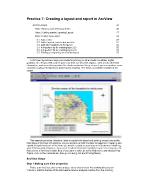 Lecture ERS 120: Principles of GIS - Practice 7: Creating a layout and report in ArcView - N.D.Bình
After you have created a layout, use the Print Setup command on the File menu bar. The interface below will appear with the following options: For Printer Name, you need to know which printer s of the university network are connected to your department or your username, which should be appeared on the 'Printer Name'. If you are not confident, as...
 14 trang | Chia sẻ: thucuc2301 | Ngày: 21/11/2020 | Lượt xem: 1528 | Lượt tải: 1
 Bài giảng Nguyên lý hệ điều hành - Chapter 3: DeadLocks
Phase One process tries to lock all records it needs, one at a time if needed record found locked, start over (no real work done in phase one) If phase one succeeds, it starts second phase, performing updates releasing locks Note similarity to requesting all resources at once Algorithm works where programmer can arrange program can be s...
29 trang | Chia sẻ: dntpro1256 | Ngày: 21/11/2020 | Lượt xem: 1295 | Lượt tải: 1 Bài giảng Nguyên lý hệ điều hành - Chapter 2: Processes and Threads
Separate what is allowed to be done with how it is done a process knows which of its children threads are important and need priority Scheduling algorithm parameterized mechanism in the kernel Parameters filled in by user processes policy set by user process
55 trang | Chia sẻ: dntpro1256 | Ngày: 21/11/2020 | Lượt xem: 1144 | Lượt tải: 1 Bài giảng Nguyên lý hệ điều hành - Chapter 1: Introduction
A stripped down shell: while (TRUE) { /* repeat forever */ type_prompt( ); /* display prompt */ read_command (command, parameters) /* input from terminal */ if (fork() != 0) { /* fork off child process */ /* Parent code */ waitpid( -1, &status, 0); /* wait for child to exit */ } else { /* Child code */ execve (command, parameter...
36 trang | Chia sẻ: dntpro1256 | Ngày: 21/11/2020 | Lượt xem: 1184 | Lượt tải: 1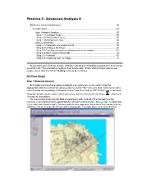 Lecture ERS 120: Principles of GIS - Practice 6: Advanced Analysis II - N.D.Bình
In this final step we will combine a series of themes within a scene to create a final map of the area suitable for a report. Delete all the themes within the 3d theme except the original TIN. Now add the following themes from the directory 'c:\arcv32\arcviewlAv~s30 \avtutor\3d\site2\ '; 'bldg.shp' , and 'roads.shp' as well as the image file - '...
11 trang | Chia sẻ: thucuc2301 | Ngày: 21/11/2020 | Lượt xem: 1172 | Lượt tải: 1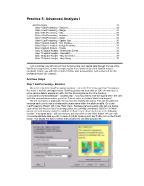 Lecture ERS 120: Principles of GIS - Practice 5: Advanced Analysis I - N.D.Bình
It is possible to select all the cells with certain characteristics - in this example where the rating equals '6'. With 'Map Calculation l ' active go to the 'Analysis' theme and select the 'Map Query' function. Enter the following query, by double clicking on 'Map Calculation L" (top layer), then single clicking on the '=' operator and finally ...
9 trang | Chia sẻ: thucuc2301 | Ngày: 21/11/2020 | Lượt xem: 1118 | Lượt tải: 1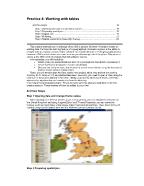 Lecture ERS 120: Principles of GIS - Practice 4: Working with tables - N.D.Bình
In our final query, we wish to determine how may urban areas (polygons) fall within the buffers you created in the previous section (if you did not create the buffer polygon due to the selection of a graphic option, create a new theme of the buffers). Once again, this is a two stage processes. First of all, you make urban areas the active theme ...
8 trang | Chia sẻ: thucuc2301 | Ngày: 21/11/2020 | Lượt xem: 1186 | Lượt tải: 1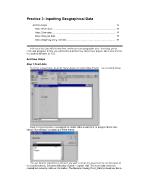 Lecture ERS 120: Principles of GIS - Practice 3: Inputting Geographical Data - N.D.Bình
Return to ArcView, to make a jpeg image visible we firstly have to load the appropriate extension. Go to the 'File' menu and select 'Extensions ', check the box next to the 'JPEG (JFIF) Image Support' extension. Now open the image ('add theme') 'c:\temp\backdrop.jpg', remembering that it is an image data source that we require. To check if the i...
5 trang | Chia sẻ: thucuc2301 | Ngày: 21/11/2020 | Lượt xem: 1158 | Lượt tải: 1

